Fidget During Video Call: Fidget Etiquette on Video Calls: What
Most fidget etiquette advice is about whether your coworkers can see you clicking a pen. On a video call, the problem is louder and stranger: a condenser mic sitting six inches from your mouth will pick up a slider click the rest of the room cannot hear. A laptop webcam will catch thumb movement at desk level that your eye cannot resolve from across the table. Figuring out how to fidget during video call sessions without making yourself the meeting's background noise is mostly about understanding what your hardware is actually doing, then picking a format that stays below its threshold.
What your condenser mic is really picking up: What an fidget during video call Actually Means
Laptop and headset condenser microphones are designed for voice at close range, which makes them brutally honest about anything mechanical happening near the keyboard. The diaphragm is sensitive across a wide frequency range, and the preamp usually has the gain cranked high enough that the softest thumb click becomes a distinct tick in the call audio. The slider click you cannot hear from across your desk is, to the mic, almost as loud as your voice.
The orientation matters too. Condenser mics are most sensitive on the side or top, less so directly behind. If your laptop hinge puts the mic array behind the keyboard rather than above the screen, sliding a metal toy across the desk in front of it is the worst possible geometry. A clip-on headset mic near your collar sits even closer to your hands. That is why a fidget that feels silent to you can be the loudest thing on the call.
Three acoustic categories that matter on calls
Mechanical clicks and short ticks carry further through a desk than people expect, because the desk acts as a sounding board. Soft "dings" from detent-style sliders are pitched lower and tend to roll off before they reach the mic, especially through fabric. Continuous bearing hum from a spinner is the most predictable: it shows up as a low drone under your voice and is hard to remove with software noise suppression once it is in the signal.
Picking a quiet format that survives the call
If you want to fidget during video call time without sending audio fingerprints into the meeting, the format choice matters more than the specific model. The magnetic slider is the loudest common option in this category: it is designed around a satisfying mechanical click, and that click is exactly what a condenser mic rewards. It is fine for an office where nobody is on a call. It is risky when you are the one presenting.
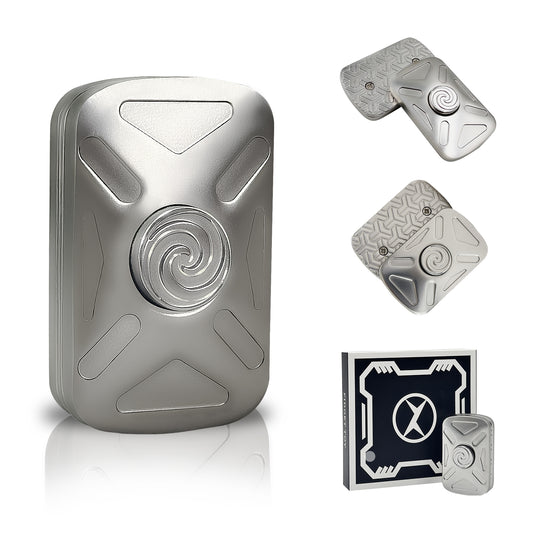
A 2-in-1 toy set to its silent-rotation mode is the gentlest option, because the dominant noise source is the bearing, and at low spin speeds a metal bearing produces almost nothing the mic can resolve. The trackless trick slider is similar in spirit but the magnet capture adds a tiny snap at the end of each slide; below desk level on a slow gesture, that snap usually does not register. The Premium Alloy mechanical slider sits between the two: the "ding" is pitched lower than the magnetic click and travels less through the desk, so a soft, slow gesture often passes unnoticed on a headset mic.
Where you hold it matters as much as which one
Below desk level, out of the camera frame, and off the desk surface if the desk is hollow or resonant. A soft surface under the toy (a notebook, a mousepad, your thigh) damps the desk-as-sounding-board effect. None of this is exotic. It is the same hygiene as not tapping your pen on the table during a recording.
What the camera actually shows
The default laptop webcam has a wide enough field of view that your hands are visible whenever they are anywhere on the desk. Most call platforms crop or do not crop depending on settings, but even in tight crops, fast repetitive motion at the bottom of the frame reads as nervous to the people watching, regardless of what is in your hand. The motion itself is the message, not the object.
If your hands are out of frame (below desk, off to the side, in your lap), the camera cannot see the fidget at all, which solves the problem completely. If your hands are in frame because you take notes or reference papers, slow continuous motion reads as deliberate. Fast repetitive motion reads as a habit you are trying not to have.
Visible vs. audible: different thresholds, different fixes
Audible problems are about hardware sensitivity and surface contact. Visible problems are about motion cadence and frame position. The fixes do not overlap much. Muting the mic solves audible. Moving the toy solves visible. The mistake people make is solving one and assuming the other is handled.
How to test before a real call
The fastest test is a 60-second recording in your usual call app, with the toy at the spot and cadence you would actually use. Listen with earbuds, not speakers, because condenser-mic-picked-up clicks have a particular high-frequency edge that speakers hide. If you can hear it clearly in the playback, your colleagues can hear it clearly on the call.
For the camera, record a 60-second clip and watch it back. Most people are surprised how much hand motion is visible in a frame they thought was tight on the face. If you do not want to record, the next best test is to put the toy in position, sit in your normal posture, and look at your own hands from where the camera sits. Anything you can see clearly, the camera can see clearly.
FAQ
Is it unprofessional to fidget on a video call?
Visible repetitive motion reads as nervousness to most viewers, regardless of the object. Audible clicks get recorded into the call audio and become background noise for everyone. Quiet, below-desk motion with a low-volume format is generally invisible and inaudible.
What is the quietest fidget format for calls?
A 2-in-1 toy used in silent-rotation mode produces the least acoustic output, because the bearing at slow speed is below the threshold most condenser mics resolve. The trackless slider used slowly below desk level is a close second.
Where to start if calls are your main use case
If the majority of your fidgeting happens on or near calls, pick the format that lives closest to silent in its default behavior, and treat anything louder as an exception rather than the rule. Browse the full EDC fidget lineup to compare formats side by side, or start with the 2-in-1 collection if you want one body that does both silent rotation and audible click depending on the moment. The poker-card magnetic slider is the right choice for the opposite situation: you want the click, you are not on a call, and you want the satisfying mechanical feedback that quieter formats do not give you. JUDIXY on Amazon also carries metal sliders in the same format range, which is useful as a side-by-side reference if you want to compare weights and dimensions before buying.
None of this requires special equipment or call tricks. The whole problem reduces to two thresholds, one acoustic and one visual, and most adults can train themselves around both in a week. Keep away from young children.