Best Fidget Toys to Keep on Your Desk (And How to Set Them Up)
The desk is where most adults meet their fidget — and where most desk-fidget purchases fail. The formats that earn their place handle the desk's specific constraints: shared sound, shared space, shared sight lines. This guide walks through what works, what doesn't, and how to set up the right way.
The Short Version
For most desks, one haptic coin is the safest pick — silent, hands-only, doesn't disturb anyone. One magnetic slider is the strong second, with a caveat on click volume. Skip the spinner and the trackless at the office (visual + bearing hum). One or two fidgets, not five — the setup that lasts is the one with fewer decisions, not more.
What Makes a Good Desk Fidget
Rule 1: Quiet or silent. A desk is shared. A click that you don't hear in your own home office is heard by your neighbor in an open plan. The threshold for "too loud" is lower at the office than at home. The haptic coin is silent. A quiet magnetic slider is borderline. A spinner is the wrong side of the line.
Rule 2: Hands-only when not in use. A fidget on the desk has to look like a thing, not a performance. The haptic coin sits still when you're not using it. The magnetic slider sits still when the inner piece is at rest. The spinner is in motion or wants to be in motion; the visual is the problem. The trackless slider wants to be flipped; the visual is the problem.
Rule 3: One-handed operation. Your other hand is on the keyboard or the mouse. The haptic coin and the magnetic slider both work one-handed; the trackless wants both hands for tricks; the spinner wants both hands to spin and catch.
The Three Desk Setups
Most desks need one of three setups, depending on how much variety you want.
Setup A: One haptic coin. The minimal setup. One fidget on the dominant side of the keyboard, where the hand lands when not typing. Best for: open-plan offices, shared desks, anyone who wants zero decisions.
Setup B: One haptic coin + one magnetic slider. Two fidgets for variety — silent for the dull stretches, click for the click-curious stretches. Best for: home offices and private cubicles.
Setup C: Three fidgets (haptic + slider + display). The third is a display piece, not for actual fidgeting. Best for: people who want the desk to look intentional.
Why One Fidget, Not Five
Two reasons: decision fatigue (every reach is a small choice) and visual noise (a row of fidgets reads as a hobby display). One or two fidgets reads as a tool; three reads as a collection. The Featured Metal Fidget Toys collection groups the desk-friendly formats together, and the 2-pack is the most common Setup B.
Where to Put the Fidget
Three rules: dominant side (right of the keyboard or next to the mouse), hand-rest height (where the hand lands when not typing, not on a shelf, not in a drawer), not on the keyboard (you'll forget it when you reach for the keys). A 0-inch travel is a tool; a 6-inch travel is friction.
Format-by-Format for the Desk
The four common formats ranked by how well they serve a desk.
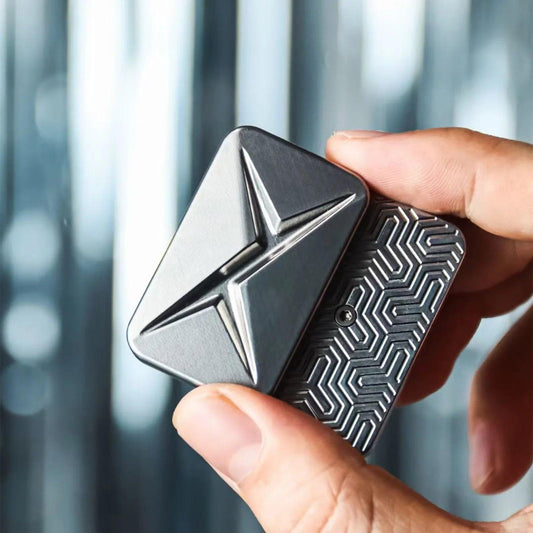
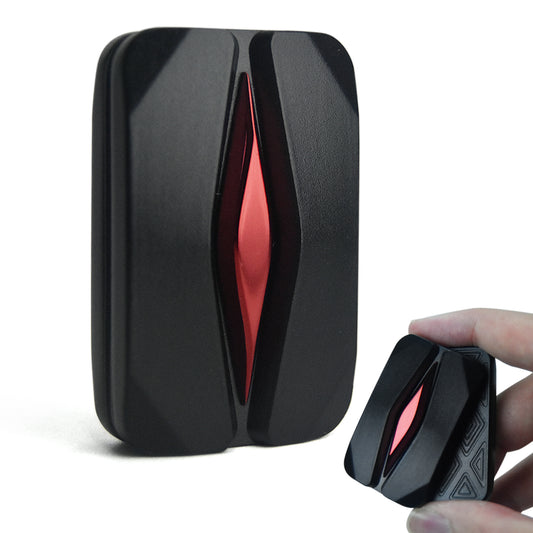
Haptic coin: First pick. Silent, hands-only, repeatable, the eyes stay on the task. The haptic coin guide covers why this format dominates for desk work.
Magnetic slider (quiet or medium click): Strong second. The click is one-handed and low-visual. The caveat: in an open plan, even the medium click is heard. Test the click at home with the windows closed before bringing it to the office. The magnetic sliders guide covers the mechanism.
Metal spinner: Skip. The bearing hum travels further than you'd think, and the visual rotation pulls the eyes. Save the spinner for the home desk in a private room. For the open plan, the spinner is the wrong format.
Trackless slider: Skip. The trackless slider's defining feature — the inner piece in motion, often flipping or spinning on edge — is a visual performance. On a desk, the trackless wants a flat surface and a clear table. The desk usually has neither..
What About Other Brands
The format choice matters more than the brand; the click feel and the weight are what you compare. JUDIXY on Amazon also carries metal sliders in the same format range, useful for side-by-side comparison.
Office vs. Home Desk
The same formats, different thresholds.
Office / co-working / library: Haptic coin only. Shared spaces are acoustically harsh and a click is louder than you'd think.
Home desk (private): Anything — haptic coin, magnetic slider, spinner, trackless. The home is where the spinner earns its keep.
On Calls and Video Meetings
The desk fidget has to compete with the meeting. The rule of thumb: if you can hear yourself breathing in a quiet room, your fidget is too loud for the call.
Audio calls / video calls / recording: Haptic coin only. The magnetic slider's click may be picked up by the mic (even with noise suppression). The spinner is too visual on video. A click in a recording is impossible to remove cleanly.
Setup Mistakes to Avoid
Five fidgets in a row (visual noise, decision fatigue). A fidget in a drawer (friction). A fidget on the keyboard (you'll forget it). Loaning the fidget to a coworker (the polite answer is "I'm using it").
FAQ
What is the best fidget toy for a desk?
A haptic coin — silent, hands-only. For variety, a quiet magnetic slider is the second pick.
Are fidget spinners good for office desks?
No. The bearing hum travels further than you'd think and the visual pulls the eyes. Save the spinner for a private home desk.
How many fidgets should I keep on my desk?
One or two. More creates decision fatigue and visual noise.
Pick One or Two and Set Them Up Right
The setup that lasts is the one you don't think about — one haptic coin on the dominant side, or one haptic coin plus one quiet magnetic slider if you want variety. The Haptic Coin 2-Pack is the most common Setup B.